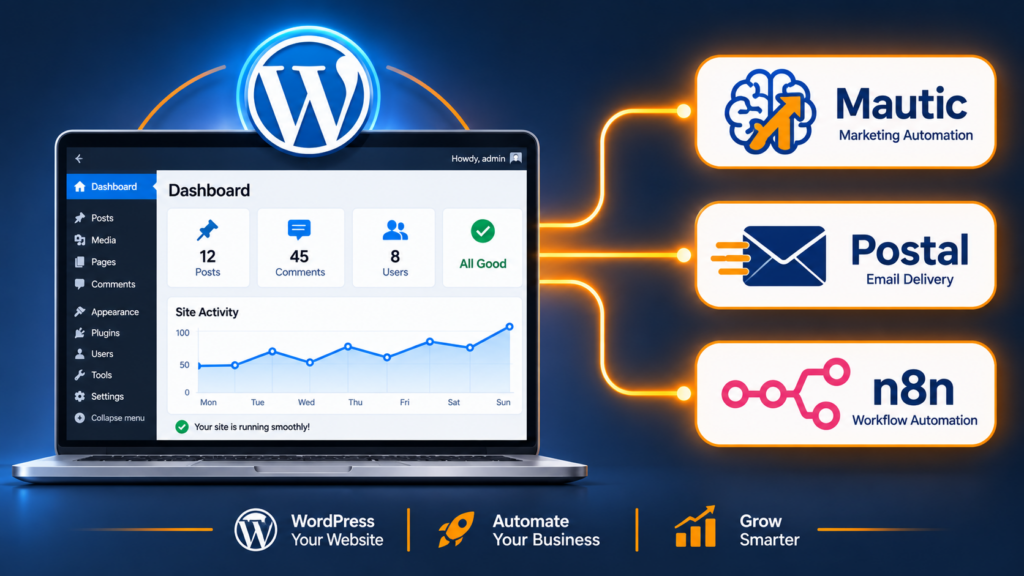
Your WordPress site is already generating leads — you just aren’t capturing, scoring or acting on most of them. Forms land in a mailbox, traffic is anonymous, and follow-up depends on someone remembering to reply. Adding Mautic, Postal and n8n turns the same site into a marketing machine that tracks every visitor, nurtures every lead and never forgets.
This is the integration guide I follow on client sites: exactly which plugin (or lack of it), how the pieces connect, and the four automations worth building first.
- The architecture: what each tool does
- Three ways to connect WordPress to Mautic
- Tracking code, cookies and GDPR
- Wiring Postal as the delivery layer
- Why n8n beats a plugin for the glue
- Four automations to build this week
- Common integration failures
The architecture: what each tool does
Confusion here causes most integration mess. Four tools, four distinct jobs:
| Tool | Owns | Does NOT own |
|---|---|---|
| WordPress | Content, forms, traffic, commerce | Audience segmentation, campaign logic |
| Mautic | Contacts, segments, scoring, campaigns, attribution | Sending mail, delivering mail |
| Postal | SMTP, domains, DNS, bounces, queues, reputation | Who gets emailed and why |
| n8n | Moving data between systems, business logic, enrichment | Owning contact state (Mautic does) |
Rule of thumb: Mautic is the source of truth for the audience. WordPress feeds it events; n8n moves data; Postal delivers. The moment you let two systems both own contact state, you have a synchronisation bug waiting to happen.
Three ways to connect WordPress to Mautic
Option 1 — Official Mautic plugin
The WordPress plugin adds a tracking script, form embeds, and a login-sync for identifying known users. Setup takes minutes: generate Mautic API credentials (Settings → API → New Client), copy key/secret/URL into the plugin, select tracking mode.
- Pros: native tracking, easiest start, form embedding.
- Cons: maintenance has historically been uneven; version drift against Mautic 5; limited field mapping; WooCommerce support is thin.
- Use it when: you need page tracking and simple form capture, nothing fancier.
Option 2 — Webhooks + API only (my default)
Skip the plugin. Fire WordPress events to an n8n webhook, then use the Mautic REST API to create/update contacts, add to segments, and record custom fields.
# Contact create/update (Mautic 5 API)
POST https://mautic.example.com/api/contacts/edit/    # if you have the ID
POST https://mautic.example.com/api/contacts/new      # create
Authorization: Bearer <oauth_token>
Content-Type: application/json

{
  "email": "lead@example.com",
  "firstname": "Said",
  "points": 10,
  "segments": [14],
  "ip_address": "203.0.113.10",
  "custom_fields": {
    "website_source": { "value": "pricing-page" },
    "plan_interest":  { "value": "tier-2" }
  }
}- Pros: full control, explicit field mapping, no plugin conflict surface, works with any form plugin.
- Cons: you build the tracking yourself (a `
dataLayer` push or server-side event), and you own error handling. - Use it when: you’re already running n8n — which, in this stack, you are.
Option 3 — Uncanny Owl / WP Fusion style bridges
Commercial connectors handle deep two-way sync — WooCommerce purchases, membership status (LearnDash, Restrict Content Pro), and conditional segments. If your revenue runs through WooCommerce and you need purchase history to drive segments, this is the least-effort path.
- Pros: two-way sync, WooCommerce/membership awareness, no code.
- Cons: licence cost per site; more plugins to update; debug surface when a sync loop starts.
- Watch for: sync loops. Two-way sync with a poorly-defined source of truth can ping-pong a contact forever. Always make Mautic authoritative for engagement fields and WordPress authoritative for commerce fields.
Tracking code, cookies and GDPR
Mautic’s tracking script identifies a browser via cookie, then attributes page views, clicks and form events to it. When a form is submitted, the anonymous profile merges with the identified contact.
<!-- placed in <head> via tag manager or functions.php -->
<script>
(function(w,d,t,u,n,a,m){
  w[MauticObject]=n;
  if (w.dnt || (navigator.doNotTrack === "1")) { w.dnt = n.dnt = 1; }
  a=d.createElement(t), m=d.getElementsByTagName(t)[0];
  a.async=1; a.src=u; m.parentNode.insertBefore(a,m);
  w.m tracking = n; n.init(config);
})
</script>
In practice, load it through Google Tag Manager or WP Rocket’s script manager so you can control delay and consent state.
The compliance checklist
- Cookie consent gating. Mautic’s tracking cookie is not “strictly necessary”. Load it only after consent — most EU-facing sites get this wrong, and it’s the kind of thing a regulator asks about first.
- Anonymise IP where you don’t need geo. Mautic has an IP anonymisation setting; use it if geo-targeting isn’t part of your funnel.
- Privacy policy specifics. Name the processor (your own infrastructure — a genuine selling point), purpose (analytics + personalised email), and retention.
- Data subject requests. Mautic’s export/delete endpoints must be wired to your WP privacy tools, or “erase my data” leaves the CRM untouched.
- Retention cron. Purge stale contacts and tracking data periodically — a legal and performance win.
Wiring Postal as the delivery layer
Two separate SMTP needs in this stack, and conflating them is the top deliverability mistake:
- Mautic campaigns — bulk marketing. Goes through Postal on your marketing subdomain (
news.example.com). - WordPress transactional — password resets, order confirmations, form receipts. Should also go through Postal, but via a different domain (
mail.example.com) and a dedicated credential, onwp_mailvia an SMTP plugin (WP Mail SMTP or FluentCRM’s own).
// functions.php — route WP mail through Postal without a plugin
add_filter('wp_mail_args_setup', ...);  // prefer a maintained SMTP plugin instead
// Recommended: WP Mail SMTP → "Other SMTP"
//   Host: mail.example.com  Port: 587  Secure: TLS
//   User/Pass: Postal SMTP credential for the *transactional* domain
//   From: no-reply@mail.example.com   From name: Your Company
Why separate the domains: bulk campaigns risk reputation. If a campaign tanks your marketing subdomain’s score, your password resets and invoices must still arrive. Isolating them is exactly the reason Postal’s multi-domain model exists.
Set the Return-Path on both to Postal’s catch-all so bounces are parsed and can trigger the hygiene workflow.
Why n8n beats a plugin for the glue
Plugins do point-to-point integration. Real funnels need logic: validation, enrichment, routing, conditional notification, fallbacks, retries, logging. That is workflow territory.
Form submit → qualified lead
WordPress form (webhook → n8n)
  ├─ 1. Validate email format + block disposable domains
  ├─ 2. Enrich: clearbit-style lookup / MX check / geo from IP
  ├─ 3. Dedupe: GET Mautic contact by email
  ├─ 4. Create or update Mautic contact (+ custom fields, + segment)
  ├─ 5. Score: company size / domain type / budget field
  ├─ 6. Route:
  │      score > 50  → Telegram/Slack ping to sales, with context
  │      score ≤ 50  → nurture segment only, no human noise
  └─ 7. Write a row to Google Sheets (audit trail)
         + fire thank-you email via Postal + set 3-touch follow-up
Every step is visible, retryable and auditable in n8n’s execution log. No plugin can show you why a lead didn’t arrive as clearly.
WooCommerce → Mautic
Order completed → n8n
  ├─ contact upsert (order total, lifetime value, last product category)
  ├─ add to "Customers – <category>" segment
  ├─ trigger onboarding campaign (Mautic API: add to campaign by ID)
  └─ if order > threshold: notify account team

Refund / chargeback issued → n8n
  └─ remove from upsell campaigns, add to "at risk" segment, alert
Abandoned cart, without the plugin tax
WooCommerce "cart updated" → Redis/hash store (n8n)
  → wait 45 min (n8n Wait node)
  → if no order webhook received:
       Mautic → send cart-recovery email via Postal
       + Telegram reminder to you for high-value carts
Premium cart-abandonment plugins cost $100–300/year per site. This runs on infrastructure you already own.
Four automations to build this week
- Lead capture + routing (above). Highest immediate ROI: you are already losing these leads.
- Bounce → suppression. Postal webhook → n8n → Mautic contact marked do-not-contact + segment removed. Kills the biggest silent deliverability leak in one afternoon.
- Content → distribution. New WP post published → n8n generates social variants (LLM node) → queues for approval → notifies a “new post” segment via a digest campaign.
- Engagement → scoring. Nightly: Mautic segment “opened last 3 campaigns, never clicked” → n8n lowers score, moves to re-engagement campaign; “clicked + visited pricing” → score up, alert sales. This is where self-hosted beats SaaS — you’re not paying per contact for a routine you run yourself.
Common integration failures
| Symptom | Real cause | Fix |
|---|---|---|
| Leads missing from Mautic | Plugin API token expired / OAuth revoked after Mautic update | Re-issue credentials; add a Kuma heartbeat on the sync workflow |
| Duplicate contacts everywhere | Both plugin and n8n creating contacts | One write path only; n8n must GET-before-POST |
| Tracking fires, no page views | Cookie consent blocks script; or tracking domain mismatched | Allowlist in consent tool; verify tracking_domain in Mautic config |
| Emails in spam from WP | wp_mail still using host PHP mail, unauthenticated |
Route all mail via Postal SMTP; fix SPF for the second host |
| Campaigns never send | Mautic cron missing (mautic:emails:send) |
Verify crontab; add push monitor on the cron |
| Contact fields empty | Custom field keys vs. labels confused in API payload | Use GET /api/fields to get the real alias — not the UI label |
| Segment not updating | Segments only rebuild on cron | Run mautic:segments:update every minute |
Want this wired into your site?
Full integration build: Mautic + Postal on your VPS, WordPress connected, lead capture routed through n8n, bounce suppression automated, tracking consent-compliant, and a documented handover so you own it afterwards.
Book the WordPress + Mautic + Postal build →
Want AI agents handling the follow-up too? target=”_blank” rel=”noopener”>OpenClaw setup →
Frequently asked questions
Do I need the Mautic WordPress plugin at all?
If you run n8n, usually no — the API is more reliable and you keep the integration logic in one visible place. The plugin earns its keep mainly for automatic page-view tracking and logged-in user identification.
Can Mautic replace WooCommerce email notifications?
Not transactional ones. Order confirmations should come from your storefront’s own templates. Mautic should own marketing lifecycle email: onboarding series, win-back, cross-sell, re-engagement.
How do I avoid sync loops with two-way plugins?
Assign field ownership explicitly: commerce fields flow WP → Mautic; engagement fields flow Mautic → nowhere (or reports only). If both sides write the same field, you’ll get loops. Prefer one-way writes with scheduled reconciliation over live two-way.
Does this work with LearnDash / Membership Pro?
Yes — lesson completed, membership upgraded, and trial-expired events are all worth piping into Mautic as custom fields for behaviour-triggered segments. The same n8n webhook pattern applies.
How long does a full integration take?
Infrastructure 1–2 days; form-to-CRM automation a day; bounce hygiene and a nurture campaign a day. Realistic project: a week of working days, then 2–4 weeks of IP warm-up before you’re sending at volume.