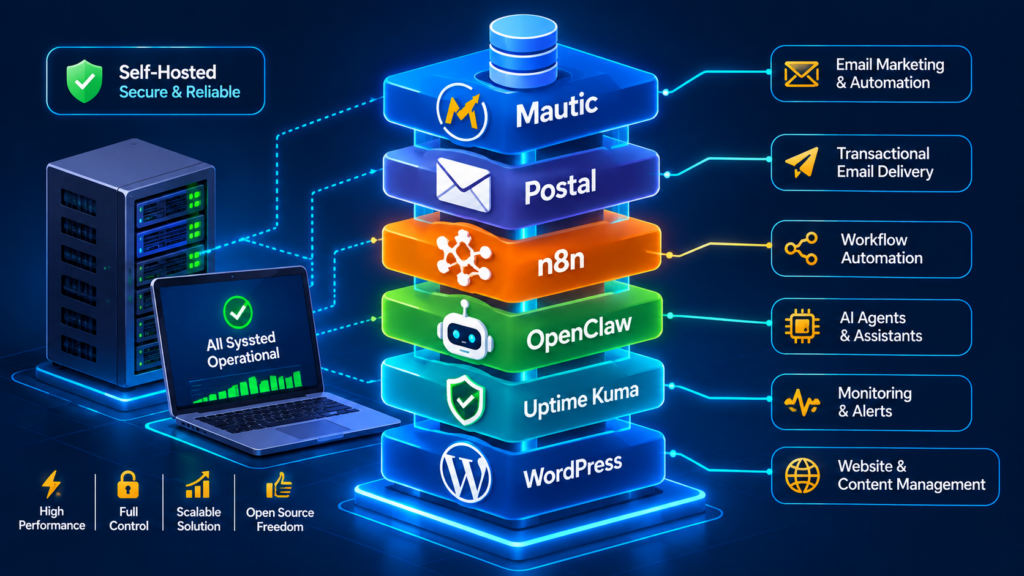
Every self-hosting guide tells you which software to install. None of them tell you what breaks in month three. After running Mautic, Postal, n8n, OpenClaw, Uptime Kuma and WordPress as a single production stack for client projects, the failure modes are predictable — and entirely avoidable if you plan for them on day one.
This is the operational reality of the stack: what each piece costs, how they fail together, and the architecture decisions that keep you out of emergency mode.
Why combine six tools instead of one platform?
Honest answer: because no single platform does all of this, and the ones that come close price it out of reach for a small business.
A HubSpot-style setup for a company with 20k contacts and a real automation budget runs $12,000–30,000 a year. The self-hosted equivalent runs $30–90 a month in infrastructure plus maintenance — and you own the data, the domain reputation and the logic.
The stack has four layers, each with one job:
| Layer | Tool | Job | Replaces |
|---|---|---|---|
| Presentation | WordPress | Site, forms, SEO, commerce | Webflow/Squarespace |
| Audience & campaigns | Mautic | Segments, drip, scoring, attribution | Mailchimp, Brevo, HubSpot Marketing Hub |
| Delivery | Postal | SMTP, domains, bounces, logs, reputation | SendGrid, Amazon SES (with dashboard) |
| Automation glue | n8n | Deterministic workflows, integrations, data movement | Zapier, Make |
| Intelligence | OpenClaw | Agent layer: monitors, judges, acts, remembers, talks to you | Custom scripts + admin dashboards |
| Reliability | Uptime Kuma | Availability monitoring, status pages, heartbeat, alert routing | Pingdom, UptimeRobot |
Keep the layers separate and each scales, replaces and fails independently. Merge them (“WordPress will do everything”) and you get the fragile plugin stacks that generate most of the emergency work I’m hired to fix.
Reference architectures
Tier 1 — Starter (1 server, ~$12/month)
One VPS: 4 vCPU / 8 GB / 80 GB NVMe
├── Docker
│   ├── wordpress + mysql (or shared host)
│   ├── mautic + mautic-mysql
│   ├── n8n + postgres
│   └── redis (shared cache)
└── Caddy (TLS, routing, all the above on one box)
Kuma → SEPARATE cheap VPS elsewhere (never monitor your own box)
Good for: under 25k emails/month, one brand, non-critical operations.
Weakness: single point of failure; Postal on the same box means a WordPress traffic spike slows mail delivery.
Tier 2 — Production (2–3 servers, ~$35–60/month)
web-01   Caddy + WordPress + n8n (main)
app-01   Mautic + MySQL (+ its own volume, backup-locked)
mail-01  Postal (Postfix/ClickHouse/Mongo/RabbitMQ) — dedicated
ops-01   Uptime Kuma + backup receiver (S3/Wasabi)
         n8n worker container on app-01 in queue mode
Why it matters: mail isolation. Your sending reputation and queue drain are unaffected by a plugin updating or a WordPress burst. This is the tier I recommend for anyone whose revenue touches email.
Tier 3 — Scale (4+ servers, managed DB)
CDN/WAF → web-01/02 (WP, autoscaled)
mautic-01/02 behind a load balancer + Redis session store
managed PostgreSQL (HA) + OpenSearch for Mautic
Postal cluster: 2 mail servers, dedicated IPs, separate sending domains
n8n queue mode: 1 main + N workers on Redis
Kuma + Prometheus/Grafana + centralized logs (Loki)
Backups → object storage in a different region
At this tier you are paying for redundancy and a DB that doesn’t fall over at 3am — and you should be: this is where the SaaS alternative becomes genuinely punitive on price.
How the tools pass data
Concrete flows, in the order you should build them:
1. Lead capture → nurture
WordPress form  →  n8n webhook
                     ├─ validate + enrich (email verification, geo)
                     ├─ POST to Mautic /api/contacts  (auth: OAuth2)
                     ├─ attach to segment via Mautic API
                     └─ notify sales on Telegram/Slack
Mautic segment → drip campaign → Postal SMTP → inbox
Engagement (open/click) → Mautic scoring → n8n → CRM update
2. Delivery feedback → list hygiene
Postal bounce webhook → n8n
   ├─ classify: hard / soft / complaint / autoreply
   ├─ Mautic API: set contact invalidated / do-not-contact
   ├─ if complaint > 0.1% on a campaign → pause campaign, alert
   └─ log to Google Sheet + weekly deliverability report
This is the highest-value automation in the whole stack, because almost nobody does it manually well. Stale contacts degrade your IP for months. Automated hygiene keeps it clean forever.
3. Content → distribution
WordPress new post (webhook) → n8n
   ├─ generate social variants (LLM node)
   ├─ schedule queue (Airtable/Notion)
   ├─ Mautic: notify subscribers segment with a digest campaign
   └─ Kuma push: content pipeline heartbeat
4. Outage → self-heal
Kuma: mautic.yourdomain.com DOWN (3 retries)
   → webhook → n8n "incident" workflow
      ├─ SSH: docker ps, systemctl status, disk, memory
      ├─ classify: OOM / disk full / exited container / hung
      ├─ safe restart (max 2 attempts, cool-down)
      ├─ re-poll /healthz 3× over 60s
      ├─ recovered?  → status page update + ops channel note
      └─ not?       → P1 Telegram to you with evidence + runbook link
Where OpenClaw sits in the stack
n8n handles deterministic flows: when X, do steps 1→2→3. That is exactly what you want for anything touching customer data or money — auditable, retryable, reviewable.
But operational reality is full of judgement calls, and deterministic tools are clumsy there. “Which of these five alerts matter right now?” “Why did this campaign underperform compared to last quarter?” “Draft a client-facing incident update from these logs.”
OpenClaw fills that gap as a persistent agent with its own workspace, memory, scheduled tasks, subagents and tool access — including shell, browser, MCP servers and messaging. In practice:
- One interface over the whole stack. Telegram or web chat becomes your admin surface: “check the mail queue and tell me if anything’s wrong” instead of four dashboards and an SSH session.
- Adaptive monitoring. Checks tighten when something is active and back off when all is quiet — no more static 5-minute polling of things that have been stable for months.
- Memory across incidents. “This is the third time this month this worker has OOM’d — and last time it followed a plugin update” is the kind of pattern that dies in scrollback. Agents that persist context catch it.
- Reasoning over the messy middle. n8n calls the agent for the fuzzy step; the agent decides, the workflow executes and logs.
Guardrails I insist on: no destructive actions without confirmation; allowlist the commands; never store credentials in the agent’s own config (use the secrets store); require a human approval step for anything outbound to customers.
Real cost breakdown
Steady-state monthly numbers for a Tier-2 production stack, real provider pricing:
| Item | Spec | Monthly |
|---|---|---|
| VPS web-01 | 2 vCPU / 4 GB / 40 GB | $8 |
| VPS app-01 (Mautic) | 4 vCPU / 8 GB / 80 GB | $18 |
| VPS mail-01 (Postal) | 2 vCPU / 4 GB / 40 GB | $8 |
| VPS ops-01 (Kuma + backups) | 1 vCPU / 2 GB | $4 |
| Object storage backup | 100 GB | $6 |
| Domain + email | — | $2 |
| Total infrastructure | ~$46 | |
| Optional: LiteLLM / API calls | moderate AI usage | $10–40 |
| Optional: managed maintenance | updates, monitoring, incidents | project-based |
Compare: Mailchimp 20k contacts (~$250–420) + Zapier 50k tasks (~$350) + Pingdom (~$40) + SendGrid (~$90) = $730–900/month, with your data spread across four vendors and no control over deliverability architecture.
The self-hosted saving is real. The maintenance cost is also real. That is the trade, and the honest framing is: you are buying control and margin with operational responsibility.
Maintenance contract (what “owning” actually means)
Weekly (15 minutes)
- Review Kuma incidents and near-misses.
- Check Postal queue depth, spam-score logs, bounce rate.
- Verify last backup restored successfully — not just that it ran.
- Read Mautic campaign performance; kill underperformers.
Monthly (1–2 hours)
- Security updates:
aptpatch cycle, base image bumps. - Application upgrades — staging first, changelog read, DB dump taken.
- Full restore test on a scratch instance.
- Review and prune user/API access.
- Spamhaus check on sending IPs.
Quarterly (half a day)
- Disaster recovery drill: kill a container, run the playbook, time it.
- Review resource usage and resize/re-provision before you need to.
- Cost audit on providers — unused volumes and stale servers are the silent leak.
- Refresh the runbook from actual incidents of the quarter.
Skipped maintenance is what turns a “self-hosted is 10× cheaper” decision into a horror story. If you will not do the above, budget for someone who does — that’s an entirely legitimate choice, and the reason managed setups exist.
Build order that works
Attempt this in the wrong order and you’ll fight six problems at once. In the right order, each layer is testable before the next lands:
- Foundation: server, Docker, Caddy TLS, backups, Uptime Kuma monitoring from an external host. Watch before you build.
- WordPress: the public surface. Hardened, cached, backed up.
- n8n: with Postgres. Wire 2–3 real workflows so you feel the value immediately.
- Postal: DNS fully configured, IP checked, warmed slowly over 3–4 weeks. Do not skip warm-up.
- Mautic: connected to Postal, cron verified, first drip campaign live to a test segment.
- Automation of hygiene: bounce → suppression; engagement → scoring; leads → segments.
- OpenClaw: the agent layer on top — monitoring with judgement, reports, conversational ops.
- Hardening: rate limits, WAF, fail2ban, off-site backups, self-heal workflows, runbook, client status page.
Roughly: 1–2 days of hands-on build, 3–4 weeks of warm-up and observation, then a steady state of ~1 hour/week of attention.
Want the whole stack, deployed and maintained?
I build and operate exactly this architecture: Mautic, Postal, n8n, OpenClaw, Uptime Kuma and WordPress on your VPS — correct DNS, deliverability configured, backups that restore, monitoring that alerts, workflows that run, and a runbook so nothing depends on you remembering.
Book Mautic + Postal deployment →
Book OpenClaw AI agent setup →
Not sure which you need? Send the gig message describing your stack and I’ll tell you the honest scope — including when self-hosting is the wrong answer for you.
Frequently asked questions
Is this legal to run commercially?
Yes. Mautic (GPLv2), Postal (MIT), n8n (Sustainable Use — free for your own/your clients’ internal use; the restriction is reselling n8n itself as a hosted product), Uptime Kuma (MIT), WordPress (GPL), OpenClaw (MIT). Read the n8n licence if you plan to offer it as a SaaS.
Do I need a dedicated developer to keep this alive?
You need someone accountable. That can be you with good runbooks and monitoring, or a maintenance arrangement. What never works: nobody, plus a dashboard that looks green.
Can I start with one tool and add the rest later?
Yes, and it’s usually smarter. Best entry point: Postal (instant deliverability win, cheapest, most isolated). Then Mautic. Then n8n. If email is already in place, start with n8n because the value lands within a day.
What about Kubernetes?
You don’t need it. Docker Compose with sane volumes is simpler, cheaper and easier to debug at the volume most small teams run at. Revisit only if you have real HA requirements or a platform team.
What breaks first?
Always the same three things: disk full from logs and execution history, mail queue backlog from an under-resourced box, and a lost N8N_ENCRYPTION_KEY or MAUTIC_SECRET during a reinstall. Every one of them is preventable with a runbook, a backup of env files, and monitoring that measures disk.